
How to write effective prompts for AI website builders
In the rapidly evolving digital landscape, AI website builders have become invaluable tools for creating professional websites quickly and efficiently. However, the effectiveness of these tools largely depends on how well users communicate their vision through prompts. This article provides a comprehensive guide on crafting effective prompts for AI website builders, ensuring that you get the best results tailored to your needs.
How Do AI Website Builders Work?
AI website builders utilize advanced large language models to convert text-based descriptions into fully functional websites. These platforms analyze user prompts for essential information such as business type, design preferences, target audience, and required features. Based on this analysis, they generate layouts, content, images, and navigation menus by leveraging patterns learned from millions of existing websites.
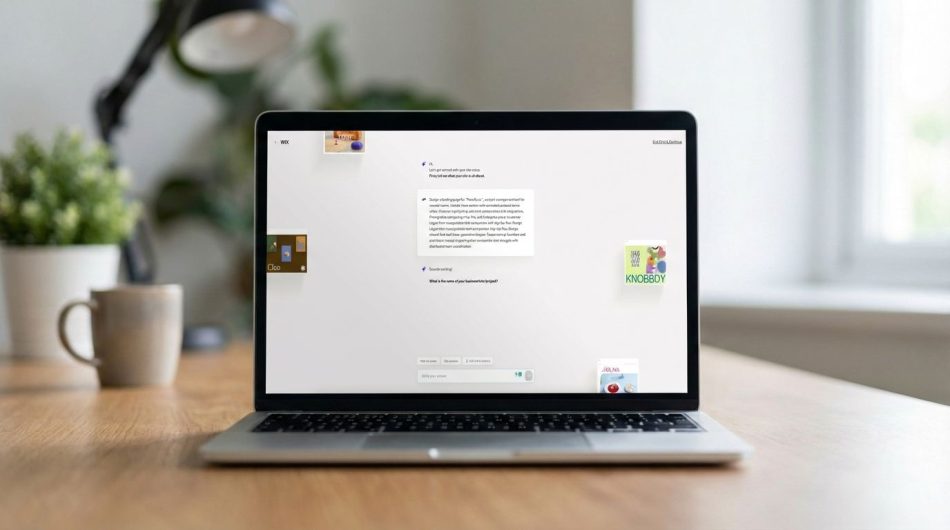
Most AI website builders can produce a complete draft within 5 to 10 minutes. For example, Wix AI engages users with guiding questions to ascertain their preferences, while Squarespace Blueprint employs conversational interfaces for a step-by-step building process. Shopify Magic, on the other hand, focuses on e-commerce, automating everything from product descriptions to checkout flows.
However, there is a crucial caveat: AI builders interpret prompts literally. If you provide vague instructions like “make me a good-looking website,” you are likely to receive a generic template filled with placeholder content. The AI lacks insight into your brand personality, customer pain points, or unique selling propositions unless you explicitly communicate these aspects.
Tips for Writing Effective Prompts
1. Start with Context, Not Features
Your initial prompt should lay the groundwork by explaining who you are, what you do, and why your business exists. Think of this as your elevator pitch. The AI needs context to make informed decisions about layout, tone, and visual style.
For instance, instead of saying, “I need a website for my bakery,” you could say: “Create a website for Sweet Haven Bakery, a family-run artisan bakery in Portland specializing in sourdough bread and custom wedding cakes. Our customers value traditional baking methods and personalized service.” This detailed context allows the AI to suggest relevant imagery, compose appropriate copy, and select design elements that align with your brand.
2. Specify Your Visual Style and Mood
AI builders can generate numerous design variations, but they require clear direction regarding the aesthetic you wish to pursue. Generic terms like “modern” or “professional” are insufficient. Instead, describe the exact mood you want to convey.
For example, you might say, “I want an elegant and minimalist art gallery aesthetic,” or “Create a warm and inviting atmosphere like a coffee shop.” You can even reference specific websites you admire to provide the AI with a clearer understanding of your vision. Additionally, be sure to mention color preferences, typography choices, and any brand guidelines you need to adhere to. The more specific you are about your visual direction, the less time you will spend making adjustments later.
3. Define Your Target Audience Clearly
The design and functionality of your website should vary significantly based on your target audience. A website aimed at corporate executives will look and operate differently from one designed for college students or retirees. Therefore, it’s crucial to be explicit about your target audience in your prompt.
Describe who your audience is, their preferences, and what they expect from your website. For example, you might say, “Our target audience consists of young professionals aged 25-35 who are looking for trendy and affordable fashion.” This clarity will guide the AI in tailoring the website’s navigation, content tone, and overall user experience to better meet the needs of your audience.
4. Build Iteratively
AI website builders allow for iterative development, meaning you can refine your website progressively. After generating an initial draft, review the results and provide feedback to the AI. Specify what you like, what needs improvement, and any additional features you would like to incorporate.
For example, you might say, “I love the layout, but I would like to add a blog section and improve the color scheme to better reflect our brand.” This iterative approach enables you to gradually shape the website into a more accurate representation of your vision.
5. Include Page Structure
When crafting your prompt, it’s also beneficial to include a clear structure for your website. Specify the pages you want, such as “Home,” “About Us,” “Services,” “Blog,” and “Contact.” This information helps the AI understand the overall architecture of your site and ensures that all necessary components are included.
For instance, you could say, “Create a website with the following pages: Home, About Us, Services, Testimonials, and Contact. The Services page should detail our offerings with images and descriptions.” This level of detail will help the AI generate a more coherent and organized website.
Prompt Examples
Here are a few examples of effective prompts for different types of businesses:
- For a Bakery: “Create a website for Sweet Haven Bakery, a family-run artisan bakery in Portland specializing in sourdough bread and custom wedding cakes. Our customers value traditional baking methods and personalized service. The design should be warm and inviting, with a rustic color palette.”
- For a Tech Startup: “Build a website for Tech Innovate, a startup focused on developing AI solutions for small businesses. The design should be sleek and modern, with a color scheme of blue and white. Our target audience is small business owners aged 30-50.”
- For a Fitness Center: “Create a vibrant and energetic website for FitLife Gym, catering to fitness enthusiasts aged 18-35. Include sections for class schedules, membership options, and testimonials. The design should be dynamic, using bright colors and bold typography.”
Frequently Asked Questions
AI website builders are tools that use artificial intelligence to create websites based on user prompts. They analyze the provided information to generate layouts, content, images, and navigation menus tailored to the user’s specifications.