
It’s not you, it’s money – why I just left Wix for Hostinger
In the world of website building, making the right choice can significantly impact your budget and overall experience. Recently, I made the decision to switch from Wix to Hostinger, and I want to share my journey and insights on why this change was necessary.
Why I Made the Switch
The primary reason for my switch was financial. After conducting a thorough audit of my websites, I realized that I was paying too much for hosting with Wix. By moving to Hostinger, I discovered that I could save a substantial amount of money—$168 per year for the first four years and about $60 annually thereafter. This financial relief could fund many of my personal indulgences, such as my favorite whisky or a new pair of AirPods.
Assessing My Website Needs
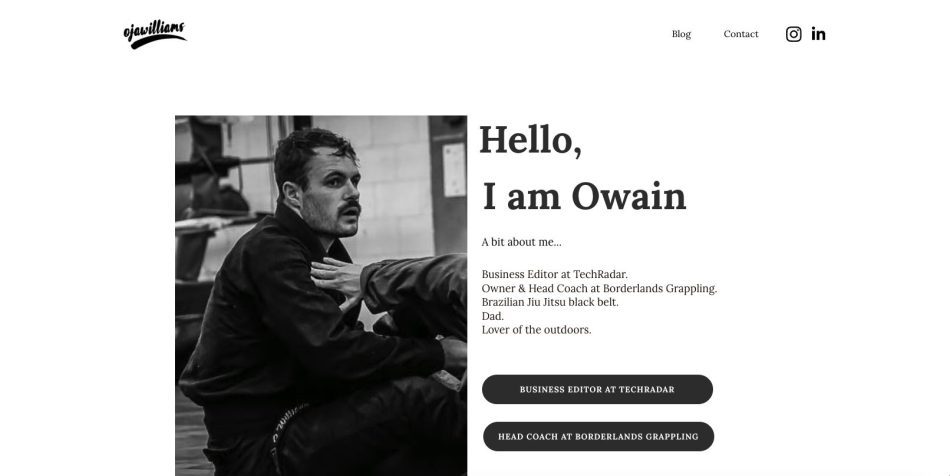
The website I migrated was quite simple, serving as a blog and a portfolio with some personal information and links. Although I knew I would need to rebuild my site from scratch, the potential savings made it an easy decision. After all, spending a few hours on a rebuild to save $672 over four years seemed worthwhile.
Challenges of Migration
One of the most significant challenges I faced was the inability to migrate directly from Wix to Hostinger. This is a common issue with website builders, as they often do not share code easily. While this was frustrating, it was also expected. I had to start from scratch, which meant creating a new site rather than simply transferring my existing one.
Building My New Site
Upon starting the new site, I was presented with two options: using Hostinger’s AI website builder or selecting a template. Although many users opt for the AI option, I decided to explore both methods.
Using the AI Website Builder
I first tried the AI builder, aiming to replicate my existing website. I provided the brand name and described my current site. The AI generated a basic structure that included the necessary pages. However, I found the design to be rather bland and uninspiring, which is a common drawback of AI-generated websites.
Choosing a Template
Next, I explored the available templates. I found one that closely resembled my previous Wix design, which made the transition smoother. The template provided a more visually appealing and inspiring layout compared to the AI-generated option. After selecting the template, I began populating my new website.
Populating My Website
After approximately 13 minutes of editing, I had my homepage looking more like what I envisioned. Although the template was initially uninspiring, adding my personal touch made a significant difference. I was pleasantly surprised by how quickly I could customize the site to my liking.
Conclusion
Switching from Wix to Hostinger was primarily a financial decision, but it also provided an opportunity for a fresh start with my website. While the migration process had its challenges, the potential savings and the ability to create a more personalized site made it worthwhile. For anyone considering a similar switch, weigh your options carefully and assess your needs to find the best solution for your website.
Frequently Asked Questions
I chose Hostinger primarily due to the significant cost savings. By switching, I could save $168 annually for the first four years, which was a major factor in my decision.
The main challenge was the inability to migrate my site directly from Wix to Hostinger, as they do not share code easily. This required me to rebuild my site from scratch.
It took me approximately 13 minutes to edit and populate the homepage of my new site after choosing a template, making the process relatively quick and straightforward.
Note: Always evaluate your website needs and budget before making a switch to ensure you choose the best platform for your requirements.