
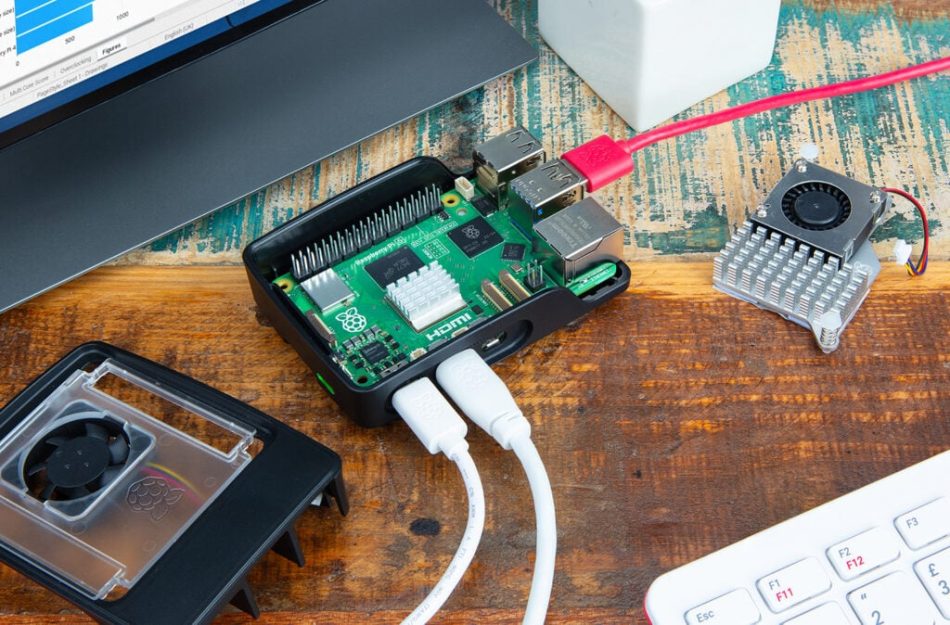
Turn your Raspberry Pi into an AI agent with OpenClaw
The Raspberry Pi has become a popular platform for hobbyists and developers looking to create innovative projects. With its compact size and affordability, it provides an excellent base for various applications, including artificial intelligence (AI). One exciting way to leverage the power of Raspberry Pi is by using OpenClaw, a versatile AI framework that allows users to build intelligent agents capable of performing various tasks.
What is OpenClaw?
OpenClaw is an open-source framework designed to facilitate the development of AI agents. It provides a set of tools and libraries that simplify the process of creating intelligent systems. OpenClaw supports various AI techniques, including machine learning, natural language processing, and computer vision, making it a powerful tool for developers looking to integrate AI into their projects.
Why Use Raspberry Pi for AI Projects?
The Raspberry Pi is an ideal platform for developing AI applications for several reasons:
- Cost-Effective: The Raspberry Pi is an inexpensive computing device, making it accessible for hobbyists and students.
- Community Support: There is a vast community of Raspberry Pi enthusiasts who share projects, tutorials, and support.
- Versatility: The Raspberry Pi can be used for various applications, from robotics to home automation, making it a flexible choice for AI projects.
- Low Power Consumption: Raspberry Pi consumes minimal power, making it suitable for long-term AI deployments.
Getting Started with OpenClaw on Raspberry Pi
To turn your Raspberry Pi into an AI agent using OpenClaw, follow these steps:
Step 1: Set Up Your Raspberry Pi
Before installing OpenClaw, ensure that your Raspberry Pi is set up correctly. You will need:
- A Raspberry Pi (preferably Raspberry Pi 3 or newer)
- A compatible power supply
- A microSD card with Raspberry Pi OS installed
- Internet connection (Wi-Fi or Ethernet)
Once you have your Raspberry Pi ready, connect it to a monitor, keyboard, and mouse, and power it on.
Step 2: Install OpenClaw
To install OpenClaw, open a terminal on your Raspberry Pi and follow these commands:
        sudo apt update
        sudo apt install python3-pip
        pip3 install openclaw
This will install the OpenClaw library and its dependencies. Once the installation is complete, you can start developing your AI agent.
Step 3: Create Your First AI Agent
With OpenClaw installed, you can create a simple AI agent. Here’s a basic example of an AI agent that responds to user input:
        from openclaw import Agent

        class SimpleAgent(Agent):
            def respond(self, input_text):
                return "You said: " + input_text

        agent = SimpleAgent()
        user_input = input("Say something: ")
        print(agent.respond(user_input))
This code defines a simple AI agent that takes user input and responds with a message. You can expand this agent’s capabilities by incorporating more complex AI techniques.
Enhancing Your AI Agent
Once you have a basic AI agent running, you can enhance its functionality by integrating various AI features:
- Natural Language Processing (NLP): Use libraries like NLTK or SpaCy to enable your agent to understand and process human language.
- Machine Learning: Implement machine learning algorithms using libraries like TensorFlow or PyTorch to allow your agent to learn from data.
- Computer Vision: Integrate OpenCV to enable your agent to process and analyze visual data.
Real-World Applications of AI Agents
AI agents built with OpenClaw on Raspberry Pi can be used in various real-world applications:
- Home Automation: Create an AI assistant that controls smart home devices based on user commands.
- Robotics: Develop intelligent robots that can navigate their environment and perform tasks autonomously.
- Customer Support: Build a chatbot that can assist customers with inquiries and provide support.
Challenges and Considerations
While developing an AI agent with OpenClaw on Raspberry Pi can be rewarding, there are challenges to consider:
- Performance Limitations: Raspberry Pi has limited processing power compared to traditional computers, which may affect the performance of complex AI models.
- Memory Constraints: Ensure that your applications are optimized for the limited RAM available on Raspberry Pi devices.
- Power Supply: For long-term deployments, consider using a reliable power supply to avoid interruptions.
Frequently Asked Questions
OpenClaw is an open-source framework designed to facilitate the development of AI agents, supporting various AI techniques such as machine learning and natural language processing.
While Raspberry Pi can handle basic AI tasks, its limited processing power may restrict the performance of complex AI models. It’s best suited for lightweight applications.